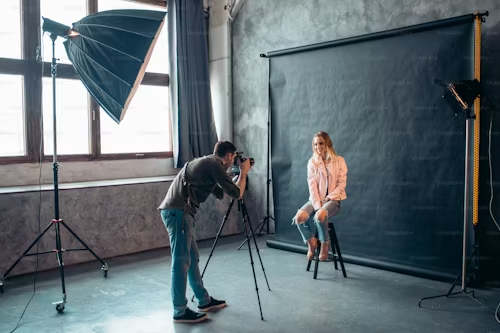
When should I use mobile photography services versus a professional photographer?
Event organizers, wedding planners, and corporate marketers constantly weigh the trade‑offs between hiring a seasoned photographer and leveraging modern mobile photography services. The decision hinges on technical needs, budget constraints, and the desired aesthetic of iconic moments captured during an event.
1. Understanding Mobile Photography Services
Mobile photography services are curated platforms that connect users with vetted photographers who primarily use smartphones or hybrid devices (camera‑mounted phones). These services typically offer:
- Instant booking and real‑time scheduling.
- Standardized pricing tiers.
- Integrated cloud storage for quick sharing.
- Post‑production editing through mobile apps.
The appeal lies in speed, convenience, and lower upfront costs. However, the quality spectrum can vary significantly depending on the photographer’s skill level and equipment choice. Many platforms provide detailed portfolios, client reviews, and a transparent pricing breakdown that allows buyers to compare photographers side‑by‑side before committing.
When evaluating a mobile photography service, consider the following:
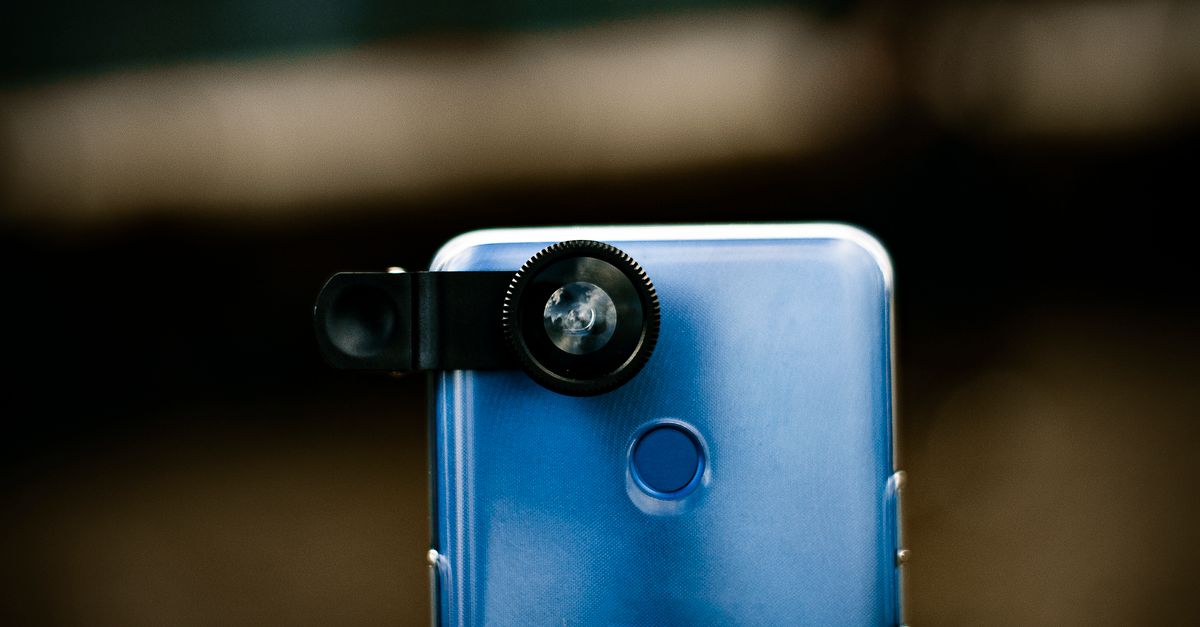
- Device specifications: Flagship smartphones often feature 108MP sensors with optical image stabilization. Hybrid rigs can add telephoto or macro lenses for greater versatility.
- Software proficiency: Photographers who master editing apps such as Lightroom Mobile, Snapseed, or Adobe Photoshop Express can deliver polished images without the need for a desktop workflow.
- Workflow transparency: Look for services that outline their delivery timeline—from initial upload to final download—to avoid surprises.
2. The Value of Professional Photographers
Professional photographers bring a depth of experience that extends beyond mere image capture:
- Mastery of composition, lighting, and storytelling.
- Access to high‑end lenses and lighting rigs.
- Robust workflow: backup systems, RAW files, and color grading.
- Industry knowledge of copyright, releases, and branding consistency.
These capabilities translate into reliable delivery of fine art photography that can be used across marketing collateral, press releases, and archival archives. Professionals often maintain a library of ready‑to‑use presets, color profiles, and custom fonts that align with a brand’s visual identity, ensuring every image reflects the same tone and quality.
Additionally, seasoned photographers typically have contingency plans for technical failures—such as spare batteries, backup memory cards, or portable lighting kits—reducing the risk of missed shots in critical moments.
3. Comparing Technical Capabilities
The core technical differences often boil down to sensor size, dynamic range, and lens versatility:
- Sensor Size: Professional DSLRs or mirrorless cameras typically feature full‑frame sensors (36 mm × 24 mm) that capture richer detail and lower noise at high ISO settings. Modern flagship smartphones use smaller APS‑C or 1‑inch sensors, which perform well in daylight but struggle in low light.
- Dynamic Range: Large‑format cameras can handle up to 14+ stops of exposure latitude, preserving highlights and shadows simultaneously—critical for event lighting variations. Mobile devices generally offer 10–12 stops.
- Lenses: Professionals have interchangeable lenses (wide‑angle, telephoto, macro) that enable creative framing without software post‑processing. Smartphones rely on fixed or single‑lens attachments, limiting flexibility.
When capturing iconic moments—such as a bride’s first kiss or a keynote speaker’s podium—the ability to freeze motion with high shutter speeds and minimal motion blur is paramount. Professionals can achieve this with dedicated flash units or continuous lighting rigs; mobile photographers often depend on built‑in LED lights, which may produce harsher shadows.
For example, in a dimly lit gala, a professional’s 50mm prime lens coupled with an LED panel can illuminate the subject evenly while preserving background depth. A smartphone, even when using a telephoto attachment, might struggle to balance the ambient light without overexposing highlights or under‑exposing faces.
4. Cost and Accessibility Analysis
Pricing structures differ significantly between the two models:
- Mobile Photography Services: Flat rates ranging from $200 to $800 for a 4‑hour session, often including basic editing and cloud delivery.
- Professional Photographers: Hourly rates of $150–$300 plus a minimum booking requirement (usually 6–8 hours). Additional fees cover travel, retouching, prints, and licensing.
For small events or tight budgets, mobile services may suffice. However, for high‑profile corporate launches or award ceremonies where the brand image hinges on cinematic quality, investing in a professional can save on re‑shoots and post‑production headaches.
A useful budgeting approach is to itemize expected deliverables: number of images, resolution requirements, turnaround time, and usage rights. This allows you to compare the total cost of a mobile service (which often bundles everything into one price) against a professional’s fee structure (where each element may be billed separately).
5. Quality of Fine Art and Iconic Moments
Fine art photography demands meticulous attention to detail—color accuracy, texture rendering, and emotional resonance. Professionals routinely employ color management workflows (e.g., calibrated monitors, ICC profiles) that mobile apps cannot fully replicate. Additionally:
- RAW file capture allows for extensive post‑processing without loss of quality.
- Layered editing with non‑destructive techniques preserves the integrity of each image.
Mobile photographers often rely on JPEGs or HEIF files, limiting post‑production flexibility. For iconic moments that will be featured in print magazines, billboards, or high-resolution digital campaigns, professional output remains superior.
Consider a product launch where the logo must appear crisp across a 24‑inch billboard and a 4K video banner. A professional’s RAW workflow ensures color fidelity at both resolutions, whereas a mobile JPEG may lose detail when scaled up.
6. Workflow Integration for Events
Event photography requires a seamless workflow from capture to delivery:
- Pre‑event Planning: Professionals can conduct site visits, test lighting setups, and coordinate with event staff.
- Real‑time Monitoring: On‑site teams can adjust settings dynamically; mobile services typically lack live monitoring tools.
- Post‑production Pipeline: Professionals use batch processing, color grading presets, and archival naming conventions. Mobile workflows are often manual and inconsistent.
These stages impact turnaround time and consistency across a large volume of images—a critical factor for events generating dozens of hours of footage.
A practical workflow example: A corporate conference photographer might use an iPad to monitor live feeds from multiple DSLR cameras, instantly adjusting exposure. Post‑event, the same team exports RAW files to a cloud storage bucket, applies a pre‑set grade in Adobe Lightroom Classic, and delivers final images via a secure client portal.
In contrast, a mobile photographer may capture 500 images on a phone, edit them individually on an app, then upload a subset to a shared folder. While efficient for small projects, this approach can lead to inconsistent styling if multiple photographers are involved.
Key takeaway: If your event demands high‑resolution, color‑accurate, and artistically curated imagery—especially for marketing or archival purposes—professional photographers deliver the necessary quality and workflow reliability that mobile services cannot match.7. When to Choose Mobile vs Professional
The decision matrix simplifies into three primary scenarios:
- Budget‑Sensitive, Casual Events: A mobile photography service is adequate for informal gatherings such as birthday parties or community fairs where the focus is on capturing candid moments rather than polished imagery.
- Brand‑Critical Corporate Events: For product launches, investor meetings, or award ceremonies that will be showcased across multiple channels, a professional photographer’s expertise ensures consistency and brand alignment.
- Hybrid Approach: Deploy a mobile photographer for on‑the‑go coverage (e.g., live streaming, real‑time social media updates) while a professional captures key moments in controlled lighting. This strategy leverages the strengths of both platforms.
8. Hybrid Approaches and Best Practices
Combining mobile services with professional photography can offer cost efficiency without sacrificing quality:
- Live Social Media Coverage: Use a mobile photographer to stream key moments live, ensuring instant engagement.
- Post‑event Editing: Professionals can curate the best shots from both sources, applying consistent color grading and retouching.
- Centralized Asset Management: Store all images in a single cloud repository with metadata tags for easy retrieval across marketing campaigns.
This dual strategy maximizes reach while maintaining high artistic standards. It also mitigates risk—if one team encounters technical issues, the other can step in to fill gaps.
In my experience managing a product launch for a tech startup, we hired a mobile photographer for live event coverage and a professional for post‑event deliverables. The result was a cohesive visual narrative that resonated across social media and press releases.Below are additional practical steps to help you decide which option aligns best with your event objectives:
- Define the End Use Early: If images will be printed at large sizes or used in high‑resolution digital formats, lean toward a professional. For quick social media snippets, mobile may suffice.
- Set Clear Quality Benchmarks: Request sample images that match your desired style and resolution. Compare the sharpness, color fidelity, and dynamic range of both mobile samples and professional portfolios.
- Assess Technical Redundancy Needs: For high‑stakes events, consider a backup photographer—often a second mobile provider or an in‑house professional team—to avoid missing critical moments.
- Align on Post‑Production Expectations: Clarify whether you need RAW files for future editing. Mobile services rarely provide RAW; professionals typically do.
By following these guidelines, event planners can make informed decisions that balance budgetary constraints with the visual impact required to elevate their brand or celebration.
Ask a practical question that invites useful discussion.